Last reviewed: November 9, 2026
remove text from image tool
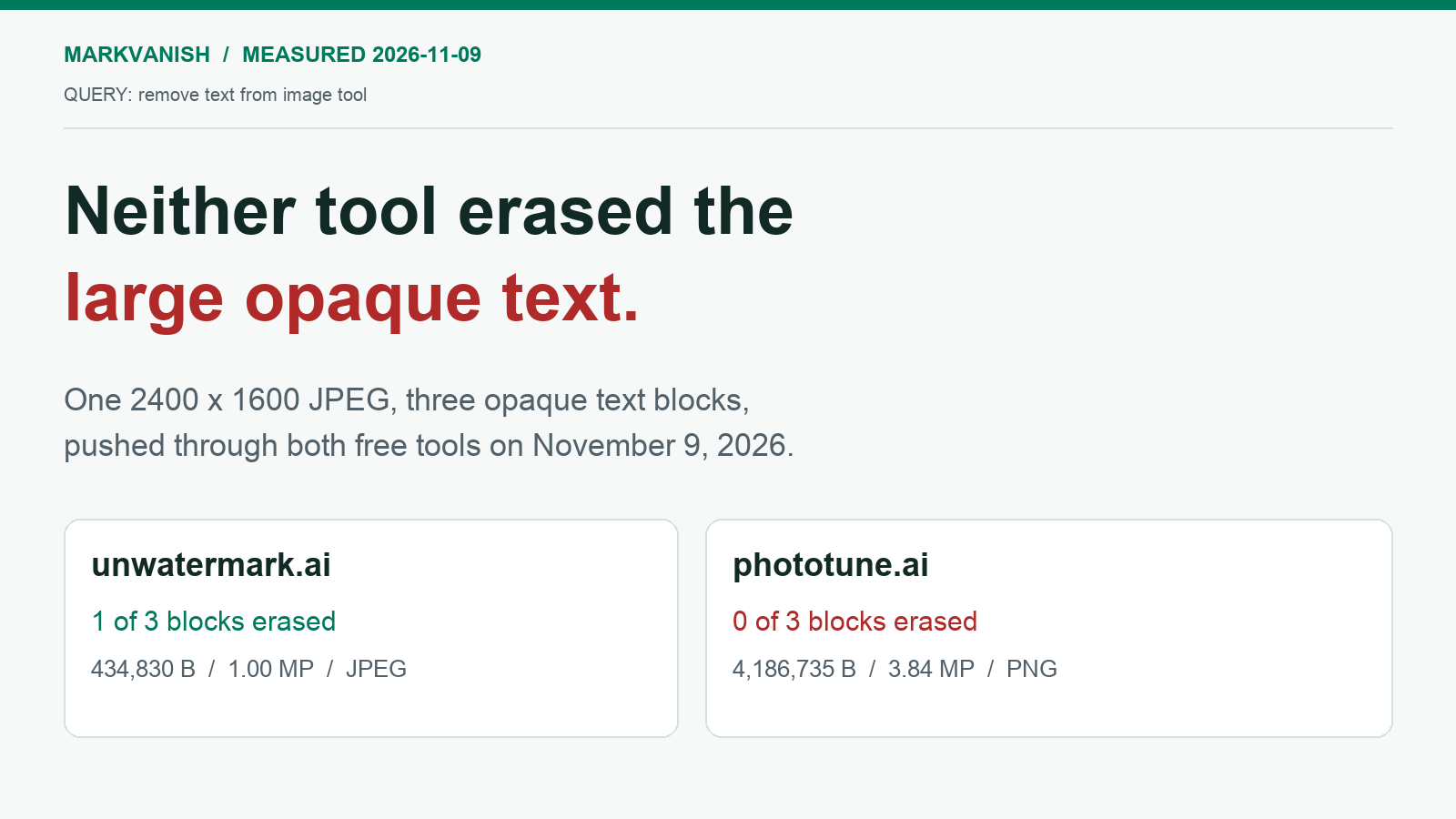
Neither free tool removed the large opaque lettering in this test: unwatermark.ai erased just 1 of 3 text blocks and returned a 434,830-byte 1224 x 816 JPEG, while phototune.ai erased none of the three.
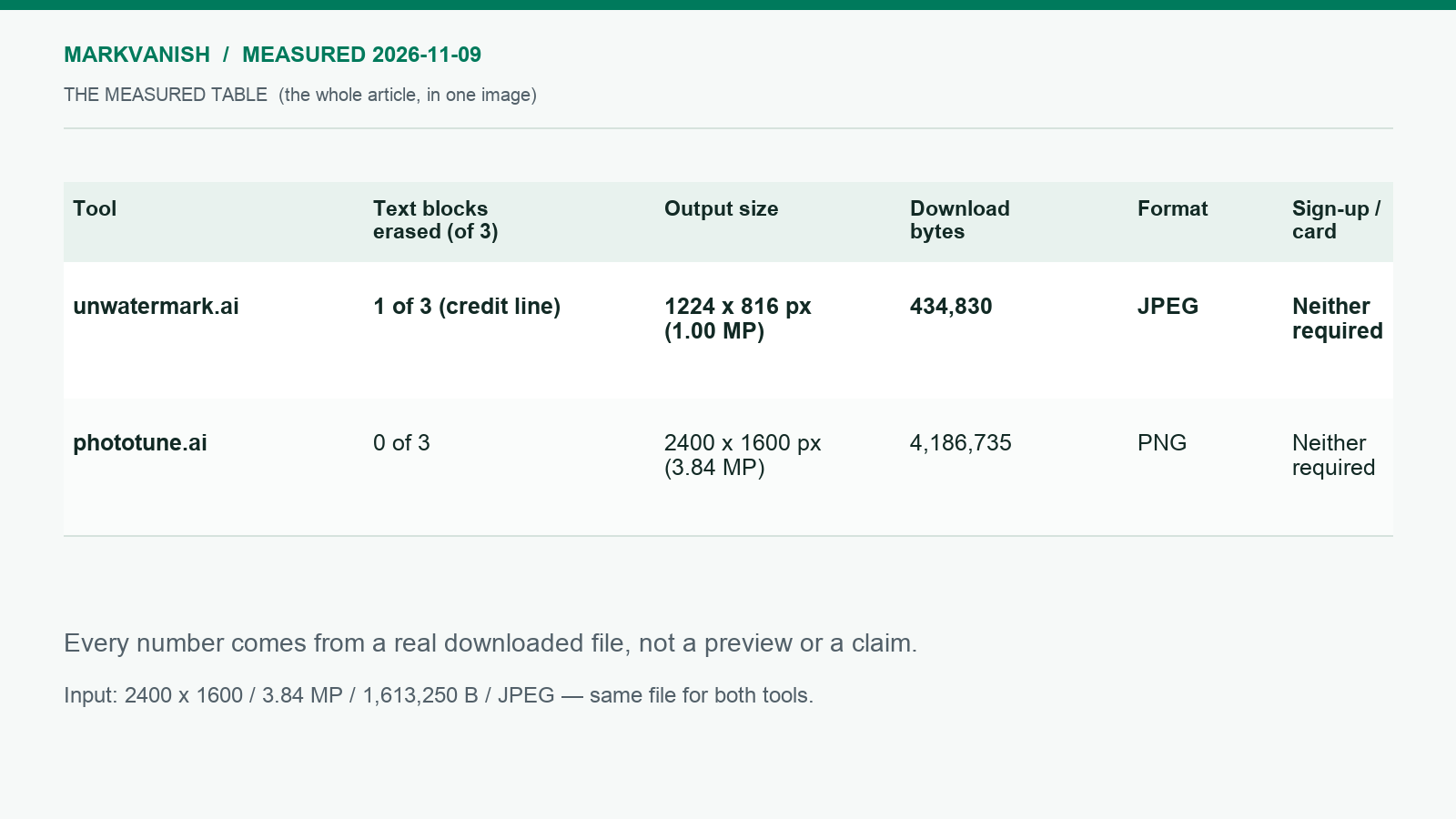
| Tool | Text blocks erased (of 3) | Output size | Download bytes | Format | Sign-up / card |
|---|---|---|---|---|---|
| unwatermark.ai | 1 of 3 (bottom credit line only) | 1224 x 816 px (1.00 MP) | 434,830 | JPEG | Neither required |
| phototune.ai | 0 of 3 | 2400 x 1600 px (3.84 MP) | 4,186,735 | PNG | Neither required |
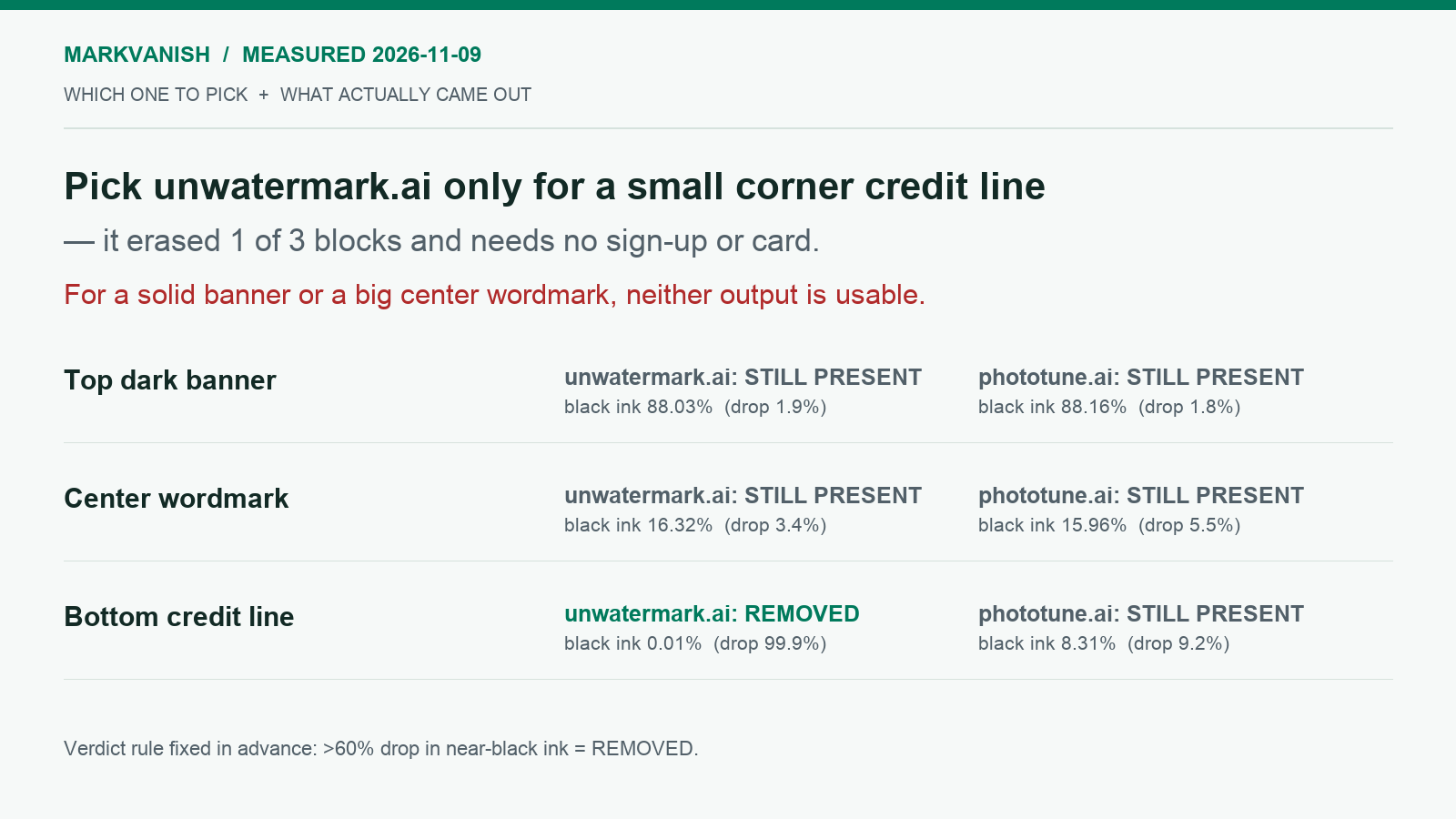
If the target is a small corner credit line and a 1224 x 816 JPEG at 1.00 MP is acceptable, pick unwatermark.ai, the only one of the two that erased any text; for a large opaque banner or center lettering neither download is usable, so use a manual brush editor such as remove text from image instead.
What each column means for you
- Tool. This column names the free service behind the row, so every other cell can be matched to the site you would actually open.
- Text blocks erased (of 3). This is the only column that answers whether the lettering you wanted gone is gone, so read it before any other cell.
- Output size. This tells you how many pixels survive the free download, which decides whether the file still holds up for print or a tight crop.
- Download bytes. This is the weight you will upload, store or email, and it separates a light JPEG from a heavy PNG.
- Format. This tells you whether the download is a lossy JPEG or a lossless PNG, which matters if you plan to edit the result again.
- Sign-up / card. This tells you what has to be handed over before the file arrives, so you know whether the job stays anonymous.
How the two downloads were checked
The same single input image was pushed through each tool, and the real downloaded files were measured, then resampled to 2400 x 1600 and compared crop-by-crop against the input.
What opaque text does to automatic detection
Automatic removal works best on lettering that is thin, light, or blended into the background, because the repair can rebuild the covered pixels from the detail around them. Opaque text is the opposite case. A solid dark banner, a heavy center wordmark and a credit line burned into a corner replace the pixels underneath completely, and those pixels are not stored anywhere in the JPEG. A detector can still find the lettering, but the repair has no original color to restore, only an estimate built from the edges of the block. That is why a download can look processed and still carry the banner and wordmark unchanged, and why the small credit line was the block that actually came out in this test.